MD Viewer OCR Translate Word Reminder Focus One Thing Web Clipper Highlight & Note Dual Subtitle FloatPiP FloatScroll







Save any page as clean Markdown

Any page. Clean Markdown.

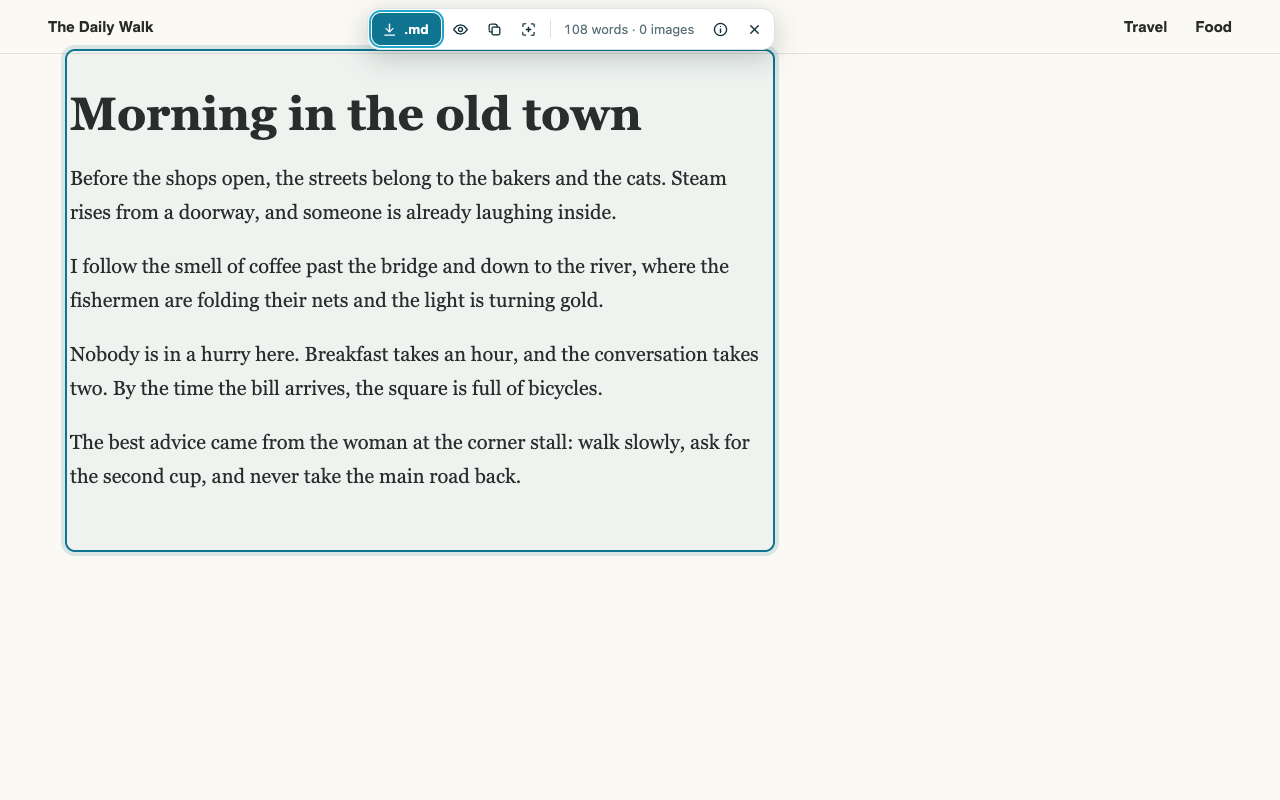
Click the icon: the main content is found for you. Download the .md right away, or review it first.

example.com/article
Web Clipper

Everything you need.

Nothing you don’t.

Finds the content

Skips menus, ads and sidebars.

One click

A small bar appears on the selected area. No new tab unless you review.

Images in place

Images and videos keep their full web links, in the right order.

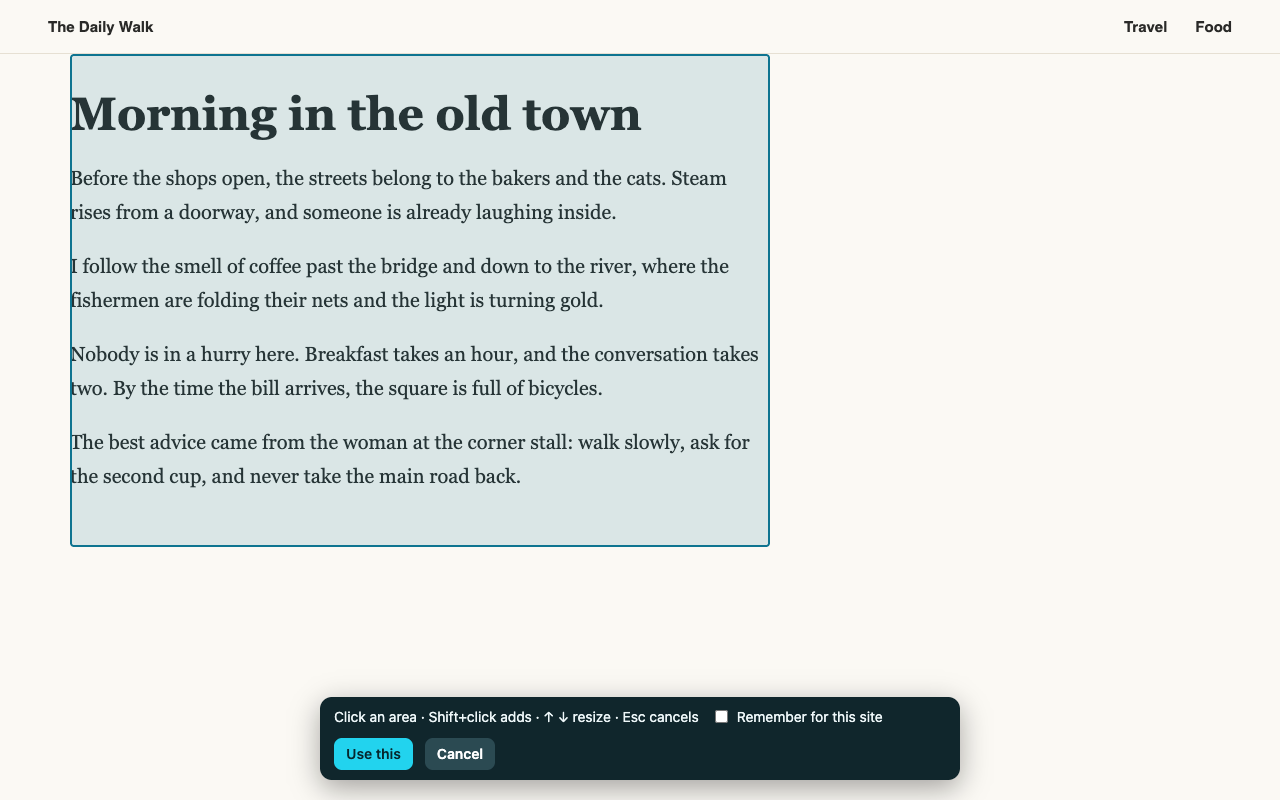
Choose an area

Pick one or more blocks, and remember them for a site.

Code, tables, math

Kept as Markdown.

Private

Everything runs on your computer.

Choose an area

Pick one or more blocks, and remember them for a site.

Choose an area

Get started in a minute.

A few short steps.

  1. 1

    Install Web Clipper

    1. Open Web Clipper on the Chrome Web Store.
    2. Click Add to Chrome.
    3. In the dialog, click Add extension.
    Add “Web Clipper”?
    CancelAdd extension
  2. 2

    Pin it to the toolbar

    1. Click the puzzle-piece icon at the top-right of Chrome.
    2. Find Web Clipper and click the pin.
    example.com
    Extensions
    Web Clipper
  3. 3

    Open an article and click the icon

  4. 4

    Check the outlined area

    Check the outlined area.
  5. 5

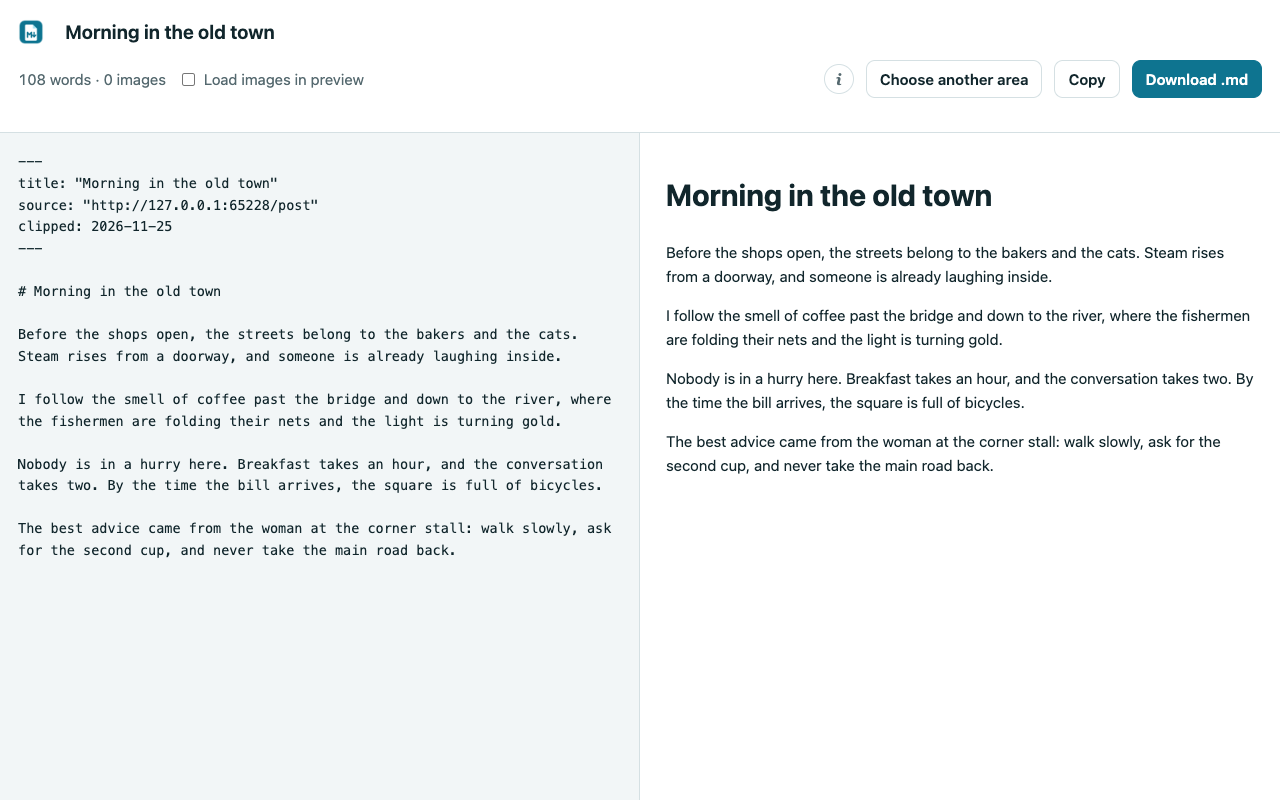
    Click Download .md, or Review to edit first

    Click Download .md, or Review to edit first.
  6. 6

    Wrong area? Click Choose another area

    Wrong area? Click Choose another area.

Keyboard shortcuts.

Esc

Cancel choosing an area

Questions? Answers.

Why is an image missing?

It had no web link (embedded or temporary). The warning icon tells you how many.

Can it clip pages behind a frame?

Not content in cross-origin frames or canvas.